使用 jQuery 移动元素
本教程演示了如何使用不同的方法在 jQuery 中移动元素。
jQuery 中有不同的方法可用于在 HTML 文档的特定位置移动或插入元素。这些方法包括 appendTo()、prependTo()、insertBefore()、insertAfter() 和其他一些方法。
让我们讨论这些方法并展示一些示例。
使用 appendTo 和 prependTo 使用 jQuery 移动元素
appendTo() 和 prependTo() 方法用于将元素移动到 jQuery 中的另一个元素中。
例如,假设一个 div 包含三个段落,我们想将一个段落移到 div 中。在这种情况下,appendTo() 方法会将新段落移动到三个段落之后的 div 中,而 prependTo() 方法会将段落移动到三个段落之前的 div。
这两种方法的语法如下所示:
$("content").appendTo("target");

$("content").prependTo("target");
其中,
-
content是要移动的内容。 -
target是元素将被移动的位置。
让我们尝试一下 appendTo() 方法的示例:
<!DOCTYPE html>
<html lang="en">
<head>
    <meta charset="utf-8">
    <title>jQuery appendTo</title>
    <style>
    #TargetDiv{
        padding: 30px;
        background: lightblue;
    }
    #ContentDiv{
        padding: 30px;
        margin: 40px 0;
        border: 3px solid;
    }
    </style>
    <script src="https://code.jquery.com/jquery-3.5.1.min.js"></script>
    <script>
    $(document).ready(function(){
        $("button").click(function(){
            $("#ContentDiv").appendTo("#TargetDiv");
            $(this).hide();
        });
    });
    </script>
</head>
<body>

    <div id="ContentDiv">
        <h1>Hello Delftstack</h1>
        <p>This is delftstack.com the best site for tutorials.</p>
        <button type="button">Move Element</button>
    </div>
    <div id="TargetDiv">
        <h1>DELFTSTACK</h1>
    </div>
</body>
</html>
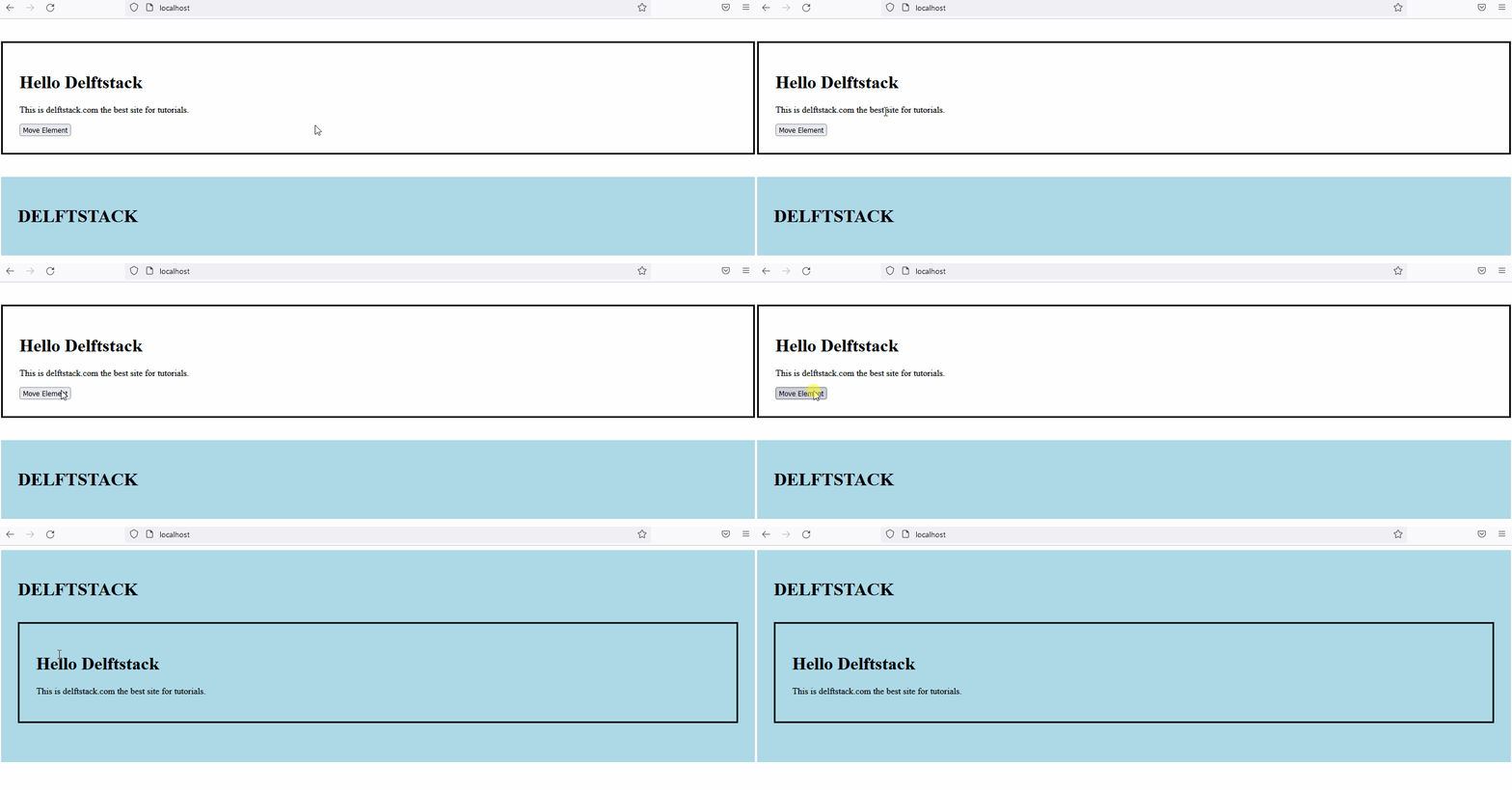
上面的代码会将 ContentDiv 移动到 div 中其他元素之后的 TargetDiv。见输出:
现在,让我们为 prependTo() 方法实现相同的示例。参见示例:
<!DOCTYPE html>
<html lang="en">
<head>
    <meta charset="utf-8">
    <title>jQuery prependTo</title>
    <style>
    #TargetDiv{
        padding: 30px;
        background: lightblue;
    }
    #ContentDiv{
        padding: 30px;
        margin: 40px 0;
        border: 3px solid;
    }
    </style>
    <script src="https://code.jquery.com/jquery-3.5.1.min.js"></script>
    <script>
    $(document).ready(function(){
        $("button").click(function(){
            $("#ContentDiv").prependTo("#TargetDiv");
            $(this).hide();
        });
    });
    </script>
</head>
<body>

    <div id="ContentDiv">
        <h1>Hello Delftstack</h1>
        <p>This is delftstack.com the best site for tutorials.</p>
        <button type="button">Move Element</button>
    </div>
    <div id="TargetDiv">
        <h1>DELFTSTACK</h1>
    </div>
</body>
</html>
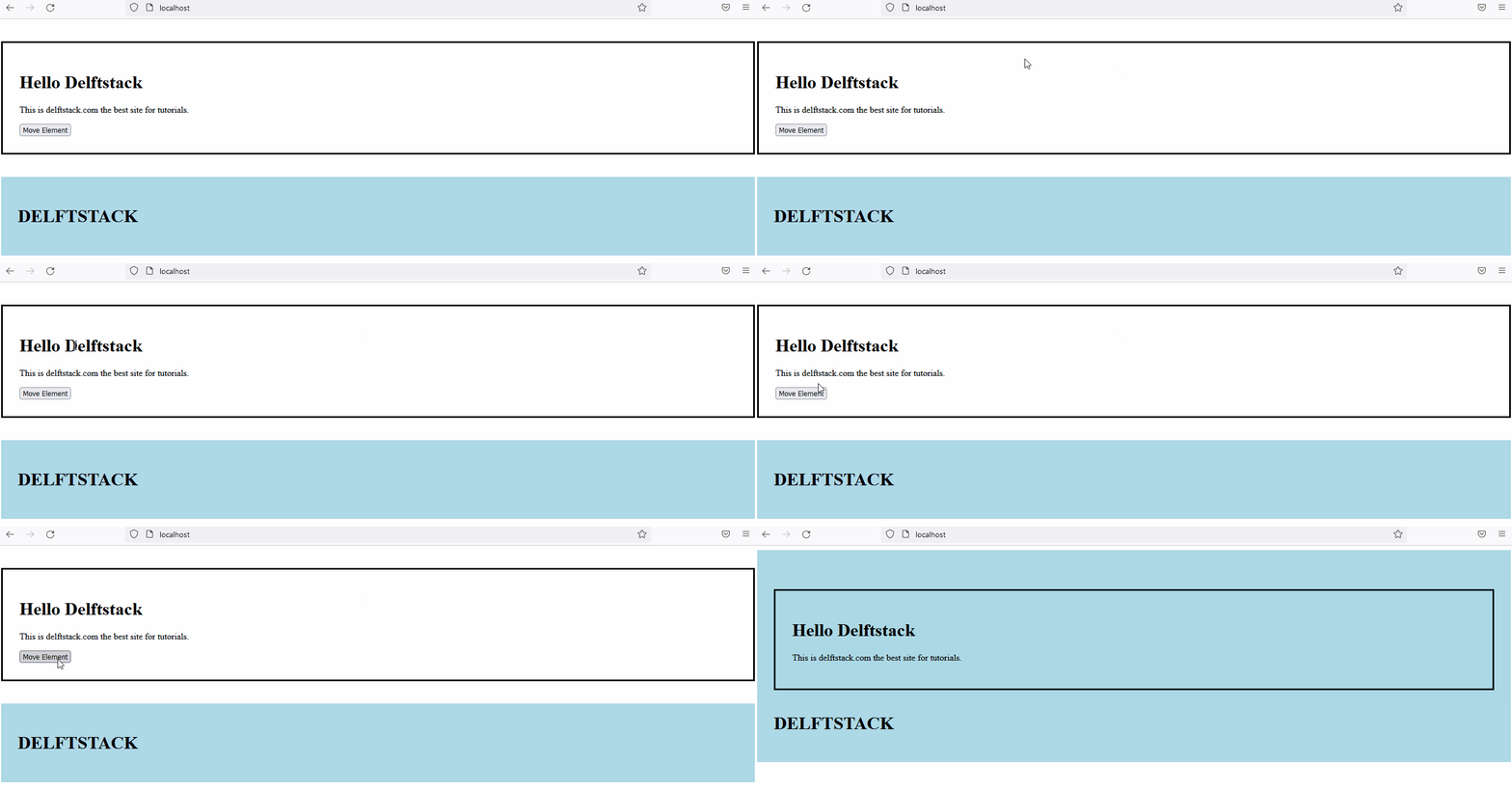
上面的代码会将 ContentDiv 移动到 TargetDiv 在 div 中的其他元素之前。见输出:
在 jQuery 中使用 insertBefore() 和 insertAfter() 移动元素
insertBefore() 和 insertAfter() 方法用于在其他元素之前和之后移动元素。这些方法的语法如下所示:
$("content").insertBefore("target");

$("content").insertAfter("target");
其中,
-
content是要移动的内容。 -
target是内容将被移动的位置之后或之前的位置。
让我们尝试一个 insertBefore() 方法的示例:
<!DOCTYPE html>
<html lang="en">
<head>
    <meta charset="utf-8">
    <title>jQuery insertBefore</title>
    <style>
    #TargetDiv{
        padding: 30px;
        background: lightblue;
    }
    #ContentDiv{
        padding: 30px;
        margin: 40px 0;
        border: 3px solid;
    }
    </style>
    <script src="https://code.jquery.com/jquery-3.5.1.min.js"></script>
    <script>
    $(document).ready(function(){
        $("button").click(function(){
            $("#ContentDiv").insertBefore("#TargetDiv");
            $(this).hide();
        });
    });
    </script>
</head>
<body>
    <div id="TargetDiv">
        <h1>DELFTSTACK</h1>
    </div>
    <div id="ContentDiv">
        <h1>Hello Delftstack</h1>
        <p>This is delftstack.com the best site for tutorials.</p>
        <button type="button">Move Element</button>
    </div>

</body>
</html>
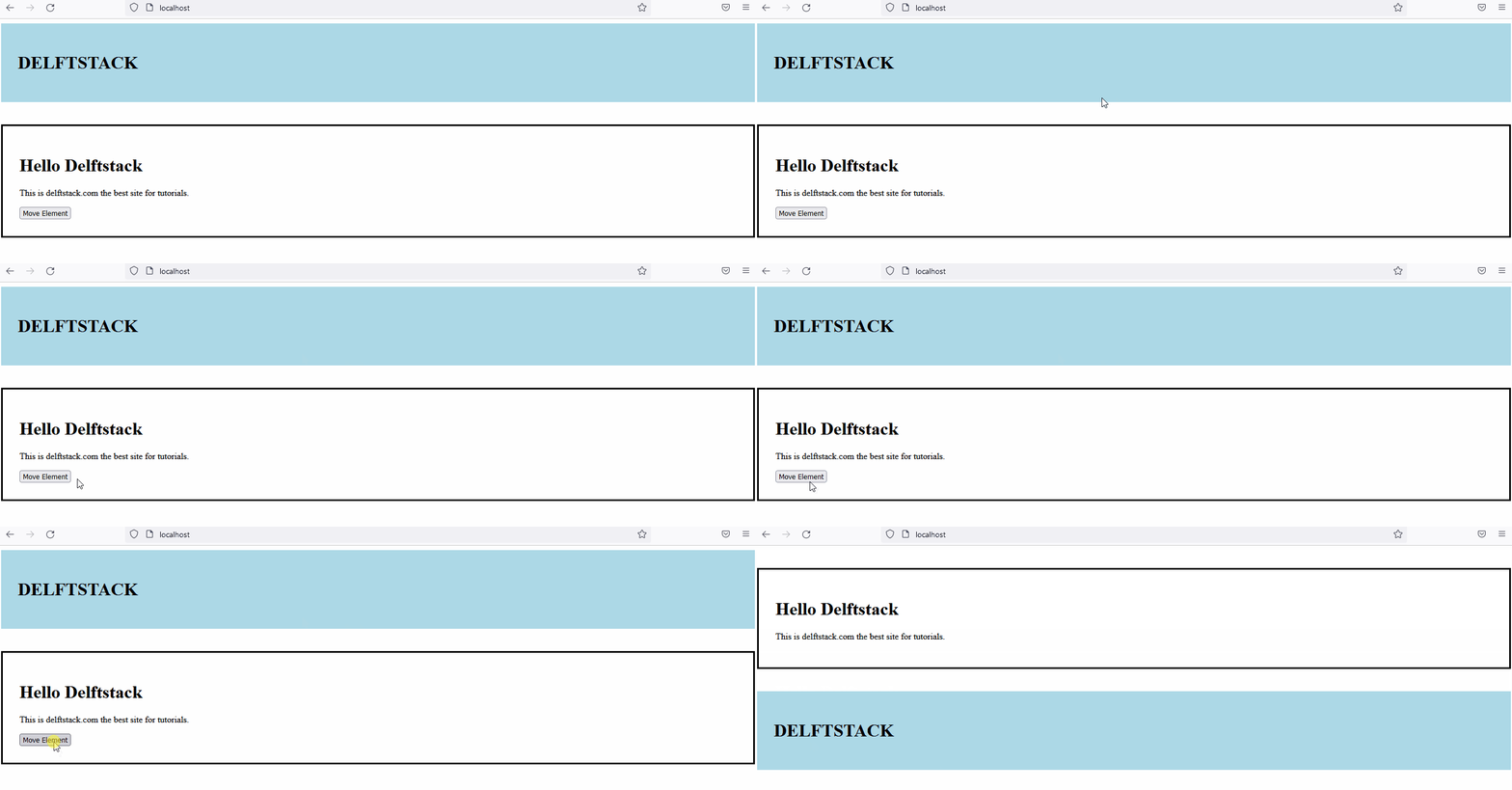
上面的代码会将内容元素移动到目标元素之前。见输出:
现在,让我们试试 insertAfter() 方法的示例:
<!DOCTYPE html>
<html lang="en">
<head>
    <meta charset="utf-8">
    <title>jQuery insertAfter</title>
    <style>
    #TargetDiv{
        padding: 30px;
        background: lightblue;
    }
    #ContentDiv{
        padding: 30px;
        margin: 40px 0;
        border: 3px solid;
    }
    </style>
    <script src="https://code.jquery.com/jquery-3.5.1.min.js"></script>
    <script>
    $(document).ready(function(){
        $("button").click(function(){
            $("#ContentDiv").insertAfter("#TargetDiv");
            $(this).hide();
        });
    });
    </script>
</head>
<body>

    <div id="ContentDiv">
        <h1>Hello Delftstack</h1>
        <p>This is delftstack.com the best site for tutorials.</p>
        <button type="button">Move Element</button>
    </div>
    <div id="TargetDiv">
        <h1>DELFTSTACK</h1>
    </div>
</body>
</html>
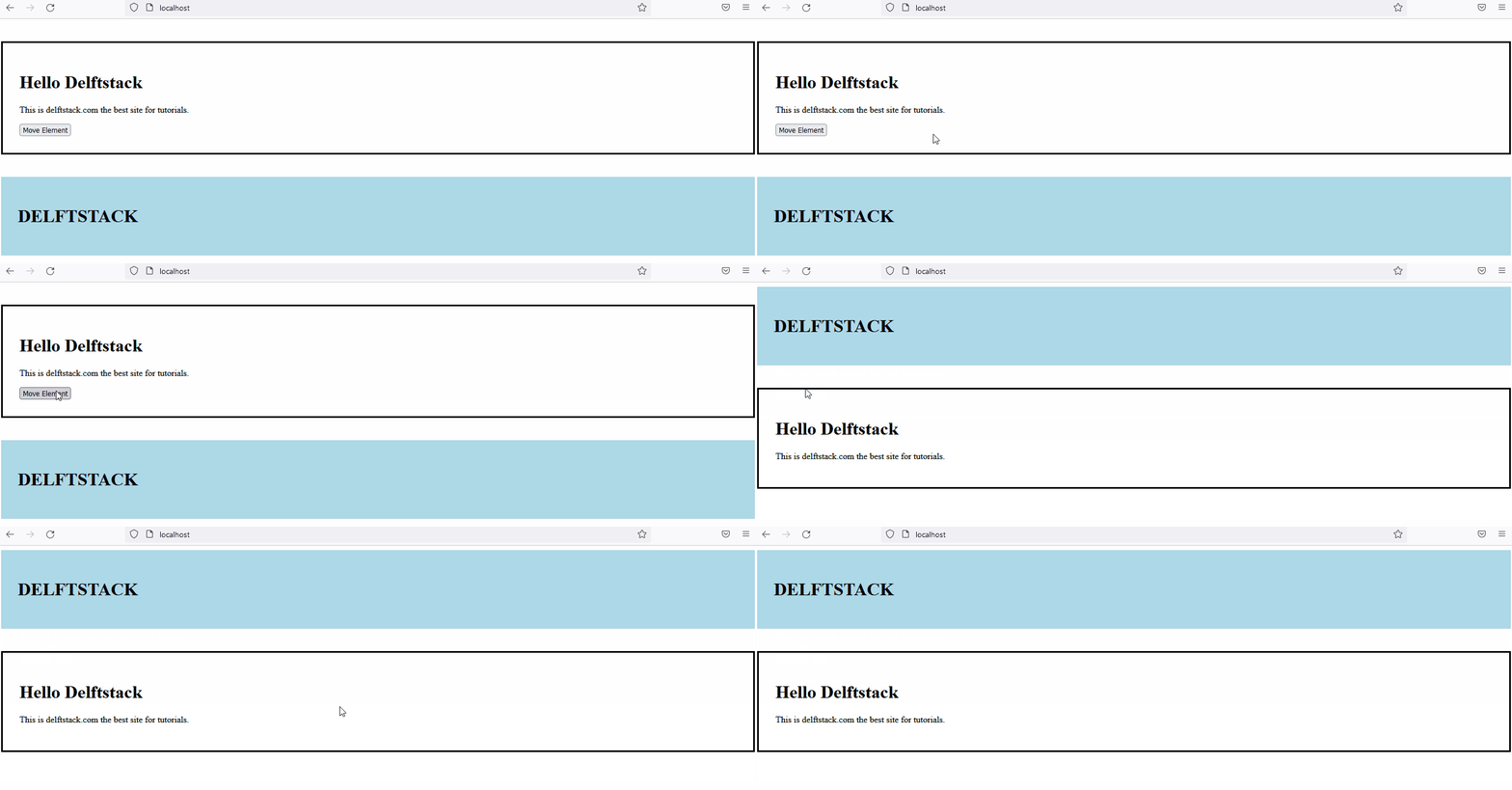
上面的代码会将内容移动到目标之后。见输出:
相关文章
Do you understand JavaScript closures?
发布时间:2025/02/21 浏览次数:108 分类:JavaScript
-
The function of a closure can be inferred from its name, suggesting that it is related to the concept of scope. A closure itself is a core concept in JavaScript, and being a core concept, it is naturally also a difficult one.
Do you know about the hidden traps in variables in JavaScript?
发布时间:2025/02/21 浏览次数:178 分类:JavaScript
-
Whether you're just starting to learn JavaScript or have been using it for a long time, I believe you'll encounter some traps related to JavaScript variable scope. The goal is to identify these traps before you fall into them, in order to av
用 jQuery 检查复选框是否被选中
发布时间:2024/03/24 浏览次数:102 分类:JavaScript
-
在本教程中学习 jQuery 检查复选框是否被选中的所有很酷的方法。我们展示了使用直接 DOM 操作、提取 JavaScript 属性的 jQuery 方法以及使用 jQuery 选择器的不同方法。你还将找到许多有用的
jQuery 中的 Window.onload 与 $(document).ready
发布时间:2024/03/24 浏览次数:180 分类:JavaScript
-
本教程演示了如何在 jQuery 中使用 Window.onload 和 $(document).ready 事件。

